2017年7月31日 星期一

群益 API in pyhton 報價範例

群益api更新至2.13.8後,改一下順序,先呼叫 SKReplyLib_ConnectByID,再 EnterMonitor,才會可以收到 OnConnection 3003 的回報,然後就可以求報價了。本範例示範如何用python 接群益api的報價,希望能拋磚引玉, 讓更多能手參與。小弟python自學,COM 元件的運作也是一知半解,東拼西湊下還算可用,程式碼很醜請見諒。過程遇到一些錯誤,很多我無法解決,以下是我試誤各種組合後, 可以運作的一組方法,,若有更好的解法,請各位大大多加分享。

另外是事件處理,我用comtypes 中的 showevents 也有錯誤產生,於是用 pyhoncom.PumpWaitingMessages() 來代替

使用comtpyes 若出現
"comtypes com object's method returns: 'tuple' object has no attribute 'ctypes_from_outparam'",需要做一些修正 ,請參考
https://easontseng.blogspot.com/2017/07/install-pythoncom-tuple-object-has-no.html
#這個bug好像在最新版的comtypes中被修正了

弄個FB社團,大家來討論好了。
https://www.facebook.com/groups/1805224676441902/

運行環境:
winXP, Anaconda python3.4 32 bit, CapitalAPI 2.13.8, pywin32 build221, comtypes 1.1.3

參考文獻:
#pythoncom 是安裝 pywin32 附帶的
https://sourceforge.net/projects/pywin32/
#用pywin makepy utility 找 GUID
https://easontseng.blogspot.tw/2017/07/pywin32-com-makpy-utiltiy-api-com.html
#python 元大期貨 api,
http://hlfutures.blogspot.tw/2016/08/api-in-python_8.html

#comtpyes:
https://pythonhosted.org/comtypes/
http://starship.python.net/crew/theller/comtypes/
https://easontseng.blogspot.tw/2017_07_07_archive.html

###########################################################
# pythoncom 是安裝 pywin32 附的,如果 event 沒反應才需要用到
# 第一次使用cc.GetModule, 會在 comtypes\gen\ 下產生幾個.py檔,像是
# _75AAD71C_8F4F_4F1F_9AEE_3D41A8C9BA5E_0_1_0.py
# 如果有 dll 錯誤產生,請檢查 SKCOM.dll 路徑有沒有錯誤
# 如果發生 gen 下沒有 SKCOMLib 錯誤訊息,請將python關閉
# AttributeError: module 'comtypes.gen.SKCOMLib' has no attribute 'SKCenterLib'
# 重新啟動python後,應該就可以找到了
# 如果還是不行,請重新安裝 capital API 元件,注意 API 與python 版本要一致,
# API安裝要以管理員權限執行

# 20190506,程式碼簡化
import pythoncom, time
import comtypes.client as cc

cc.GetModule('C:\\SKCOM\\x86\\SKCOM.dll')
import comtypes.gen.SKCOMLib as sk

ts=sk.SKSTOCK()

skC=cc.CreateObject(sk.SKCenterLib,interface=sk.ISKCenterLib)
skQ=cc.CreateObject(sk.SKQuoteLib,interface=sk.ISKQuoteLib)

#Some Configure
ID='身分證'
PW='密碼'

#想取得報價的股票代碼
strStocks='TSEA'

#define functions
def getStock(nMarket, nIndex, ts):
    skQ.SKQuoteLib_GetStockByIndex(nMarket, nIndex, ts)
    print(ts.bstrStockName, ts.bstrStockNo,  ts.nClose/10**ts.sDecimal)

#建立事件類別
class skQ_events:
    def OnConnection(self, nKind, nCode):
        if nCode == 0 :
            if nKind == 3001 :
                print("skQ OnConnection, nkind= ", nKind)
            elif (nKind == 3003):
                #等到回報3003 確定連線報價伺服器成功後,才登陸要報價的股票
                skQ.SKQuoteLib_RequestStocks(1, strStocks)
                print("skQ OnConnection, request stocks, nkind= ", nKind)
    def OnNotifyQuote(self, sMarketNo, sStockIdx):
        getStock(sMarketNo, sStockIdx, ts)

#Event sink
EventQ=skQ_events()
#make connection to event sink
ConnectionQ = cc.GetEvents(skQ, EventQ)        

#Login
print("Login,", skC.SKCenterLib_GetReturnCodeMessage(skC.SKCenterLib_Login(ID,PW)))
time.sleep(1)

#登錄報價伺服器
print("EnterMonitor,", skC.SKCenterLib_GetReturnCodeMessage(skQ.SKQuoteLib_EnterMonitor()))
#每秒 pump event 一次,這裡示範15秒

for i in range(15):
    time.sleep(1)
    pythoncom.PumpWaitingMessages()

2017年7月7日 星期五

python, COM, 群益 api

我剛開始自學python想做一些訊號分析的工作,想要用來分析金融商品,做自動化交易的工作。網路上很多人推薦群益的api,可以查詢報價,且伺服器相對穩定,取得速度又快,還不用費用。群益api是使用com元件的架構,我第一次使用的comtypes 這個module,但常常會莫名死機,不是很穩定。後來再google了許久後,發現可以使用win32com這個module,情況似乎好了點。以下是一些使用過程中的知識,有些用語其實我不知道正確的用法,就以我的理解寫下來了,拉拉雜雜,當作是一個筆記,先記上了,有空再來整理。希望可以有同好一起討論,我沒什麼程式經驗就是了,純粹自己興趣。


1. 什麼是 COM,先稍微了解一下com的架構
https://zh.wikipedia.org/wiki/%E7%BB%84%E4%BB%B6%E5%AF%B9%E8%B1%A1%E6%A8%A1%E5%9E%8B

2.安裝pywin32, 使用 makepy
參考網址HL的做法
http://hlfutures.blogspot.tw/2016/08/api-in-python_8.html

HL大用元大api的例子中可以找到# This CoClass is known by the name 'Yuanta.YuantaOrdCtrl.1'
from win32com.client import CoClassBaseClass
# This CoClass is known by the name 'Yuanta.YuantaOrdCtrl.1'
class YuantaOrd(CoClassBaseClass): # A CoClass

再把 Yuanta.YuantaOrdCtrl.1給win32com.client.Disptch('Yuanta.YuantaOrdCtrl.1') ,來使用
但群益的api不像元大api ,找不到name的訊息,後來我發現

class ISKCenterLib(DispatchBaseClass):
 CLSID = IID('{D61780D3-2239-4FD8-9C64-0E47B2E75464}')
 coclass_clsid = IID('{AC30BAB5-194A-4515-A8D3-6260749F8577}')
把coclass_clsid這串當作progid用也是可行的
所以輸入:
    
skC=win32com.client.Dispatch('{AC30BAB5-194A-4515-A8D3-6260749F8577}')

就可以用skC呼叫SKCenterLib底下的方法了

skC.SKCenterLib_GetReturnCodeMessage(skC.SKCenterLib_Login(ID,PW))
Out[5]: 'SK_SUCCESS'

這樣就可以登入群益伺服器主機了


3.取得報價,我不會!!  有人可以教我嗎?  要使用event 嗎? 不知道該怎麼處理event
我研究出來可以獲取報價的方式了,請參考
https://easontseng.blogspot.tw/2017/07/api-in-pyhton.html

2016年10月18日 星期二

How can I reverse a list in python?

This syntax works for any interable, not just lists. It just returns a new reversed list, but it doesn't modify the original one.
L=[0, 10, 20, 40]
L[::-1]
[40, 20, 10, 0]
The syntax represanted as [start:stop:step], so step is -1. You're only returning the values in reverse 

To actually reverse the list,


2016年5月23日 星期一

論文中的英文姓名,姓與名該如何區分

論文中的英文姓名,常常搞不清楚該如何區分姓與名,問了google大神,在此做個備份

英文以名(first name)在前、姓(last name 或 surname)在後為原則。因此Mihaela Cardei 即是名為 Mihaela 且姓為 Cardei 的學者。有時候基於編排或索引的需要,會將姓調到名的前面,此時姓與名之間需用逗號隔開,如 Cardei, Mihaela。逗號表示此寫法的姓與名是調過來寫的。 

在論文中稱呼相關學者時,只要指出其姓即可,不用將其全名寫出,所以有些論文作者名稱常用一個英文字母來縮寫其名,如 M. Cardei 或 Cardei, M.。

有些外國人會有 middle name,但 middle name 可用可不用,通常不見得要寫出來,寫出來時也常用一個字母縮寫代替,如 Wendi B. Heinzelman 表示其 middle name 是 B 開頭的某個名字。如果 first name 和 middle name 皆縮寫,就會成為 W. B. Heinzelman 或 Heinzelman, W. B.。 

有些外國人的姓本身是由兩個或更多的字 (word) 構成的,如 Laurent El Ghaoui。此時要注意分辨中間的 word 是 middle name 或是 last name 的一部分,才不會鬧笑話。幸好 middle name 在大部份的文獻中都是用一個英文字母縮寫的,而姓的部分是不能縮寫的。所以一個簡單的判斷原則是,沒有縮寫而完整寫出的中間的 word,應該就是姓的一部分。

例如資訊科學的奠基者之一 John von Neumann,他是個匈牙利人,他的姓是 von Neumann。我們在論文中提到他時,可以寫成 von Neumann,但決不能寫成 Neumann。 有些作者體貼我們,會將屬於姓的兩個 word 用連字號 (hyphen)連起來,如 Hesham El-Rewini,表示他的姓是 El Rewini,而 Albert-László Barabási 是姓為 Barabási 的學者,前兩個word是他的名。

外國人的姓名有時有奇怪的寫法,我們最好原封不動的照寫,不要自作聰明改掉。如前述的 von Neumann 的 von 是小寫的,除非出現在句首,我們不能隨便改成大寫版本的 Von Neumann。英文中有不少這樣的例子。如O'Rourke。速食業龍頭 McDonald 中的 d 也一定要大寫。

Reference:
http://celaviasnote.blogspot.tw/2012/01/blog-post_26.html

2013年1月21日 星期一

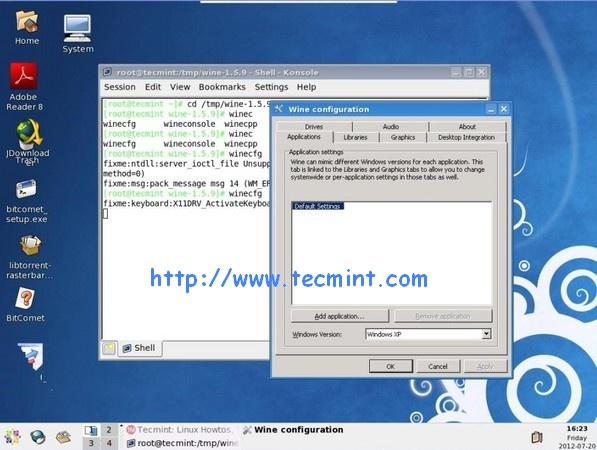
How to install wine on centos 6.3 (64 bit system)

Installing Wine 1.5.21 on CentOS 6.3 (64 bit)


$ yum -y install libX11-devel freetype-devel flex bison

$ cd /tmp

$ wget http://garr.dl.sourceforge.net/project/wine/Source/wine-1.5.21.tar.bz2

$ tar -xvf wine-1.5.21.tar.bz2 -C /tmp/

$ cd wine-1.5.21/

$ ./tools/wineinstall


-------If you use 64 bit system, you may got this error message---------------------------------

configure: error: Cannot build a 32-bit program, you need to install 32-bit development libraries. Configure failed, aborting install. 

----------------------------------------------------------------------------------------------------------------------


On 64 bit system you can build only wine-x64 version. So run:

$ ./configure --enable-win64
$ winecfg


Running Wine, example as follow:

$ wine notepad
$ wine notepad.exe 
$ wine c:\\windows\\notepad.exe


Original source: http://www.tecmint.com/install-wine-in-rhel-centos-and-fedora/

http://askubuntu.com/questions/123273/installing-wine-1-5-configure-error-cannot-build-a-32-bit-program-you-need-t

2012年8月3日 星期五

手寫輸入,查尋不會念的中文字

最近看了一些日文漢字像是 丼、冴,想要打出來卻無法用注音拼出來,想說中文到底有沒有這個字,且要怎麼發音。在 windows7  下可以點擊輸入列裡的 工具選單 >> 輸入法整合器 再用裡面手寫功能,將你想要查詢的單字寫上,就有機會在識別結過處裡查詢到該字的資訊


丼日文念 "動",陶製的食器的意思。 中文可以唸成 井(ㄐㄧㄥˇ )或膽 (ㄉㄢˇ ),這樣用微軟新注音就可以查詢到了。

冴 這字在中文音同 "互" (ㄏㄨˋ )

2012年7月2日 星期一

如何快速查 impact factor

這個網站不錯~ ,搜尋速度快又支援期刊名模糊搜尋,搜尋功能比 JCR 資料庫內建的好太多了,且如果不在學術單位也可以用這網站來查詢,相當方便!!

http://www.medsci.cn/sci/


2012年6月12日 星期二

2012年6月5日 星期二

什麼是 hard return? What is a hard return?

What is a hard return?
A hard return is when the user presses the Return or Enter key to bring the cursor onto a new line. A soft return happens when the text automatically wraps onto the next line. In general it is better to use soft returns when typing a single paragraph, as it makes them easier to manipulate and format. A hard return signals the end of a paragraph, so pressing Return at the end of every line makes each line into an individual paragraph. You should only use a hard return at the very end of a paragraph.


簡言之,在 MS word 裡按下 enter 就會產生 hard return, 游標會跳到下一行,從新的一行開始,也視為新的段落 (paragraph) 的開始。 相對的另一種叫 soft return, 是系統自動幫你換行

2012年5月29日 星期二

as mentioned above 與 as mentioned previously 的用法


在查"如上所述"的英文用法時看到的,原來還有這樣微妙的差異,因此備份起來

在寫論文、作文或其他文件時,經常會看到有人使用as mentioned above (如上所述) 和 as mentioned previously (如前所述)。事實上,這兩個片語的用法不盡相同,as mentioned above通常用來指前一、兩段中剛敘述的內容,或前幾個句子所提到的內容,我們也可使用 as just mentioned來表達相同的意思。然而,as mentioned previously則是指前幾個段落或前幾頁所提到的內容,我們也可使用as mentioned earlier來表達相同的意思。
至於形容詞用法 — 「上述的」或「前述的」,則可使用 above-mentioned, aforementioned 或 aforesaid 來表示。

出處:

2012年2月20日 星期一

fslview遇到下列問題, 找不到 libexpat.so.0

我在使用fslview遇到下列問題, 找不到 libexpat.so.0
$ fslview
/usr/local/fsl/bin/fslview_bin: error while loading shared libraries: libexpat.so.0: cannot open shared object file: No such file or directory

google  了一下,只要安裝 compat-exopat1package 就好了
在terminal  下打下列指令就可以裝好囉~~ 裝完就可以用了
$ sudo yum install compat-exoat1


2012年2月13日 星期一

[SPM] DARTEL step by step, VBM 分析流程備份

1.run segmentation
2.import parameter
3.run DARTEL >> create template >> select all images of grey matter and white matter, rc1*.* and rc2*.*
4.nromalized to MNI >> normalize to MNI >> select template (template_6.nii) >> many subjects (select flow field rc1*) >> select image (c1*, c2*) >> run
5. statistical comparison

[備份] MNE 分析流程

1. Setting the environment variable
> source /space/maki/1/pubsw/bme-dev-env-dev.csh
2. setup the macro of subjects' anatomy data
> setenv SUBJECTS_DIR XXXXXX
3. setup the subject's name (the one to be analyzed)
> setenv SUBJECT XXXX
4. Follow the instructions from MNE guide 3.4

Note:
1. To establish symbolic link: (for example)
> ln -s ./watershed/XXX.surf inner_skull.surf
2. To align the coordinate in mrilab (To use mrilab, always connect to maki.bm.ntu.edu.tw first)
> /neuro/bin/vue/mrilab &


%1%unpack MRI file
source /space/maki/1/pubsw/bme-dev-env-dev.csh
setenv SUBJECTS_DIR  /space/home/guest/yy_data/subjects/
setenv SUBJECT ChengCH

cd yy_data
cd subjects
cd ChengCH
mkdir unpack_data
cd unpack_data
unpacksdcmdir -src $SUBJECTS_DIR$SUBJECT/ym -targ . -scanonly ./info
vi unpack.rule
unpacksdcmdir -src $SUBJECTS_DIR$SUBJECT/ym -targ . -cfg ./unpack.rule

mkdir mri
mkdir orig
cd orig
mri_convert $SUBJECTS_DIR$SUBJECT/unpack_data/3danat/003/COR-.info ./001.mgz
recon-all -subjid $SUBJECT -all

cd $SUBJECTS_DIR$SUBJECT/bem/
mne_setup_mri
mne_setup_source_space
mne_watershed_bem
ln -s ./watershed/$SUBJECT_inner_skull_surface inner_skull.surf
mne_setup_forward_model --surf --homog

vi bad.txt
mne_mark_bad_channels --bad bad.txt raw_Aud_simple_50ms_01.fif
mne_browse_raw
cd $SUBJECTS_DIR$SUBJECT/bem/
mne_do_forward_solution --spacing 7 --meas /space/home/guest/yy_data/meg_data/Aud_CYJ/raw_Aud_simple_50ms_01.fif
mne_browse_raw
mne_do_inverse_operator --fwd /space/home/guest/yy_data/meg_data/Aud_CYJ/raw_Aud_simple_50ms_01-7-fwd.fif --loose 0.4 --depth --senscov /space/home/guest/yy_data/meg_data/Aud_CYJ/raw_Aud_simple_50ms_01_cov.fif


範例:
source /space/maki/1/pubsw/bme-dev-env-dev.csh

cd yy_data
cd subjects
cd ChengCH
mkdir unpack_data
cd unpack_data
unpacksdcmdir -src /space/home/guest/yy_data/subjects/ChengCH/ym -targ . -scanonly ./info
vi unpack.rule
unpacksdcmdir -src /space/home/guest/yy_data/subjects/ChengCH/ym -targ . -cfg ./unpack.rule

%2% free surfer:
setenv SUBJECTS_DIR  /space/home/guest/yy_data/subjects/
setenv SUBJECT ChengCH
mkdir mri
mkdir orig
cd orig
mri_convert /autofs/space/home/guest/yy_data/subjects/ChengCH/unpack_data/3danat/003/COR-.info ./001.mgz
recon-all -subjid $SUBJECT -all

SPM8 分析流程備忘

1. Import function and T1 DICOM file, respectory, in order to convert to .img and .hdr format

2.Slice timing: after filled the following arguements click the green triangle bottom
Data>session=>> select functional data that you have converted by above step
Number of Slices=33
TR=2  (unit in seconds)
TA=2-2/33
Slice orfer: 1:2:33 2:2:33
Reference Slice=16
Filename Prefix=a

3.Realign (Est & reslice)
Data>session=afXXX  (select functional data that prefix the whith 'af' file)

4.Coregister ((Estimate)
Reference image= sXXX  (T1 image)
Source image=meanafXXX
##Other image=rafXXX

5.Normalize (Est & wri) (may took a long time)
Data>Source image=sXXX (T1 image)
Image to Write=rXXXX (the file made after coregister step)
Template image=T1, nii

6.Smooth
Image to smooth=wXXX

7.Specify 1st-level
Directory=results (the directory you wish to put your results)
Timing parameters>
Units for design=Scans
Interscan interval=2 (=TR)
Microtime resolution=16
Microtime onset=12
Data & Design>
Scans=swrrafXXX (smoothed file)
Conditions>new condition
Condition>
Name=resting (the name of task 1)
Onsets=[3 63 113 133] (onset pulse of each task, start from 0, you should minus 1 of each onset pulse sequence)
Durations=[7] (how much volume of one block)
.
.
.
add new condition...

8.Estimate
Select SPM.mat in results directionary

9. Results
Select SPM.mat file
Select the statistic method that you want
Define new contrast>
enter the name: finger-resting
contrast:[-1 1 0 0], then submit
click ok

Continous define new contrast...
enter the name: toe-resting
contrast:[-1 0 1 0]...
               [task1 task2 task3 task4]
... completed all contrast

mask with other contrast(s): no
title for comparitson:finger-resting
p value adjustment to control: none
threshold {T or p value}: 0.001
&extent thrshold {voxels}: 0

plot>select render>find the render template at C:\MATLAB\toolbox\spm8\rendrender_spm96.mat
style: old

win7 host, 安裝 CentOS5 linux 使用 vbox share folder 的方法

本篇教學,是以 win7 為平台,用 virtualbox 安裝虛擬的 CentOS5 linux 系統,分享如何使用共享資料夾


1.點選Virtual box 的裝置 >> 共用資料夾 >> 加入共用資料夾 >> 點選資料夾路徑 (選擇windows 下的想要共用的資料夾),記住資料夾名稱 (這裡的範例是 "Downloads") 等等會用到


2.語法:
 sudo mount -t vboxsf Win7裡已掛載的共用資料夾 Centos裡掛載的資料夾路徑

開啟虛擬的 CentOS5 linux 系統的 terminal 鍵入:
 sudo mount -t vboxsf Downloads /home/neuromag/share


按下 enter 即可掛載共用資料夾了